
TURN YOUR KEYS ON MY MARK.
It started as a joke during a production incident: a hotfix just scary enough that we wanted two people turning keys at the same time, like a launch silo.
Afterward, we built it.
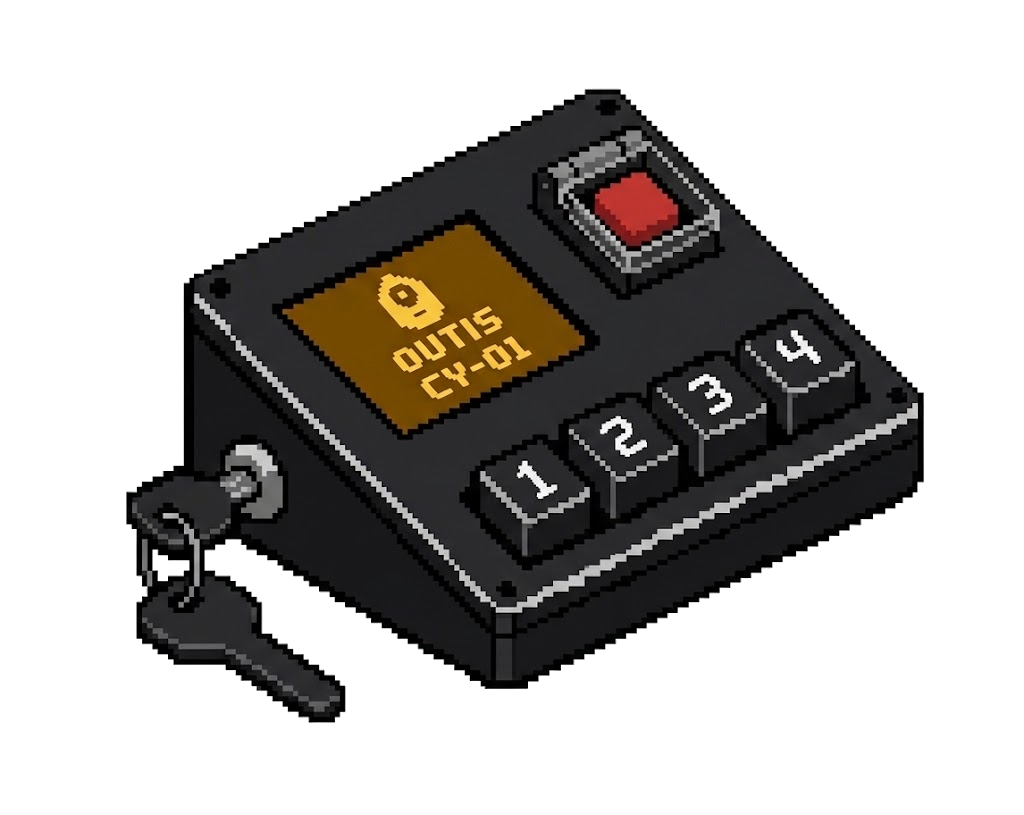
RADIO
Wi-Fi. Outbound connections only.
USB-C
USB-C charging.
DISPLAY
320×240. Displays the request details.
KEYSWITCH
Key off, box off.
BUTTON GUARD
Covers the approval button.
AUTH BUTTON
Press to approve the request.
KEYS
Four backlit keys for code entry.
SILICON
ESP32-S3.
01 / 08
RADIO
Wi-Fi. Outbound connections only.
02 / 08
BUTTON GUARD
Covers the approval button.
03 / 08
AUTH BUTTON
Press to approve the request.
04 / 08
USB-C
USB-C charging.
05 / 08
DISPLAY
320×240. Displays the request details.
06 / 08
KEYS
Four backlit keys for code entry.
07 / 08
KEYSWITCH
Key off, box off.
08 / 08
SILICON
ESP32-S3.
WHY A DEVICE ON YOUR DESK?
Cy gives approvals their own screen and physical controls. Turn the key, enter your code, review the request, then lift the cover and press.
OUTBOUND CONNECTIONS
Cy connects to the server over Wi-Fi. It doesn't listen for incoming connections.
DEVICE-GENERATED KEY
Cy generates its own private key and doesn't send it to the server.
POWERED OFF BY THE KEY
Turning the key off cuts power to the device.
REVIEW IT ON CY
The request is right there on Cy's screen when you lift the cover and press.